Hyper Elements vs React Email
Both write emails in React. Hyper Elements also lays them out, checks them, shows them in every email client, and renders them on-brand.
Hyper Elements vs React Email at a glance
What you get with each, side by side, if you’re weighing a React Email alternative.
Included free
See it in Outlook, Gmail, Apple Mail and Yahoo Mail before you send
React Email lists CSS a client doesn't support. Hyper Elements shows you what the client does with it.
- FreeNo account, key or limit
- LocalNothing sent or uploaded
- Light and darkDesktop and phones
- FastAs long as a render
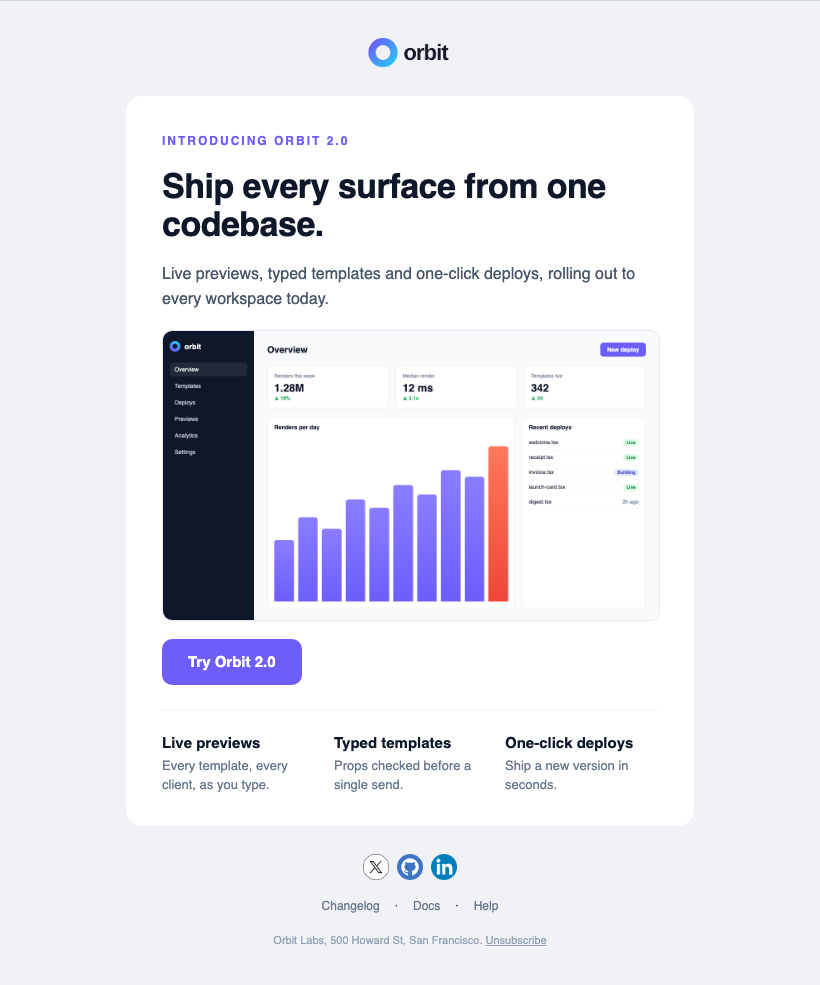
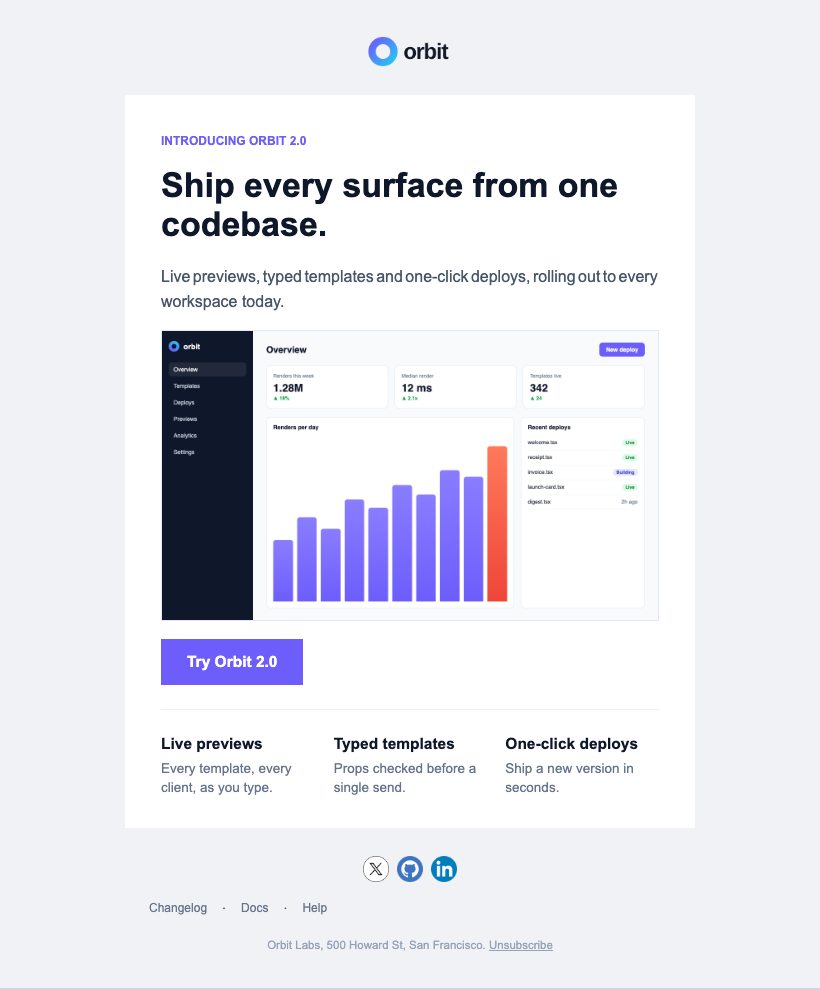
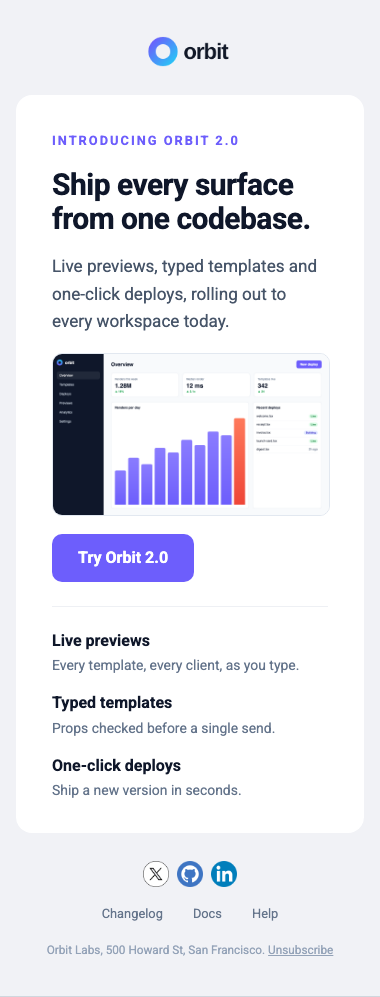
- Classic Outlook97%
- Outlook.com99%
- Outlook for Mac98%
- Gmail99%
- Gmail app98%
- Apple Mail98%
- Yahoo Mail99%
- AOL Mail99%
Before you send
Every email checked, in code and in CI
Each render lists what classic Outlook, Gmail and the other clients will change, and a mistake stops it with what to write instead.
- In your coderender() and validate() return them, with where each one is
- In CIThe CLI's check exits 1 on an error, with --json for scripts
- With the fixEach one says what to write instead, so an agent fixes it itself
React Email's checks live in its preview window: render() returns the HTML, with nothing to say about it.
How diagnostics work →- error
style/unknown"marginBottom" isn't a style a Text takes: use the parent's gap, or padding. - info
email/outlook-degradedborderRadius on this Column in classic Outlook: square corners - info
email/degradedhover on this Button in some email clients: no change (where it shows, keyboard focus gets it too) - info
email/outlook-degradedletterSpacing on this Text in classic Outlook: normal spacing: Word keeps letter spacing but doesn't draw it
On brand, in every email
Write your brand once as a theme. The template names no colors or fonts; swap the theme and the same email is someone else's.
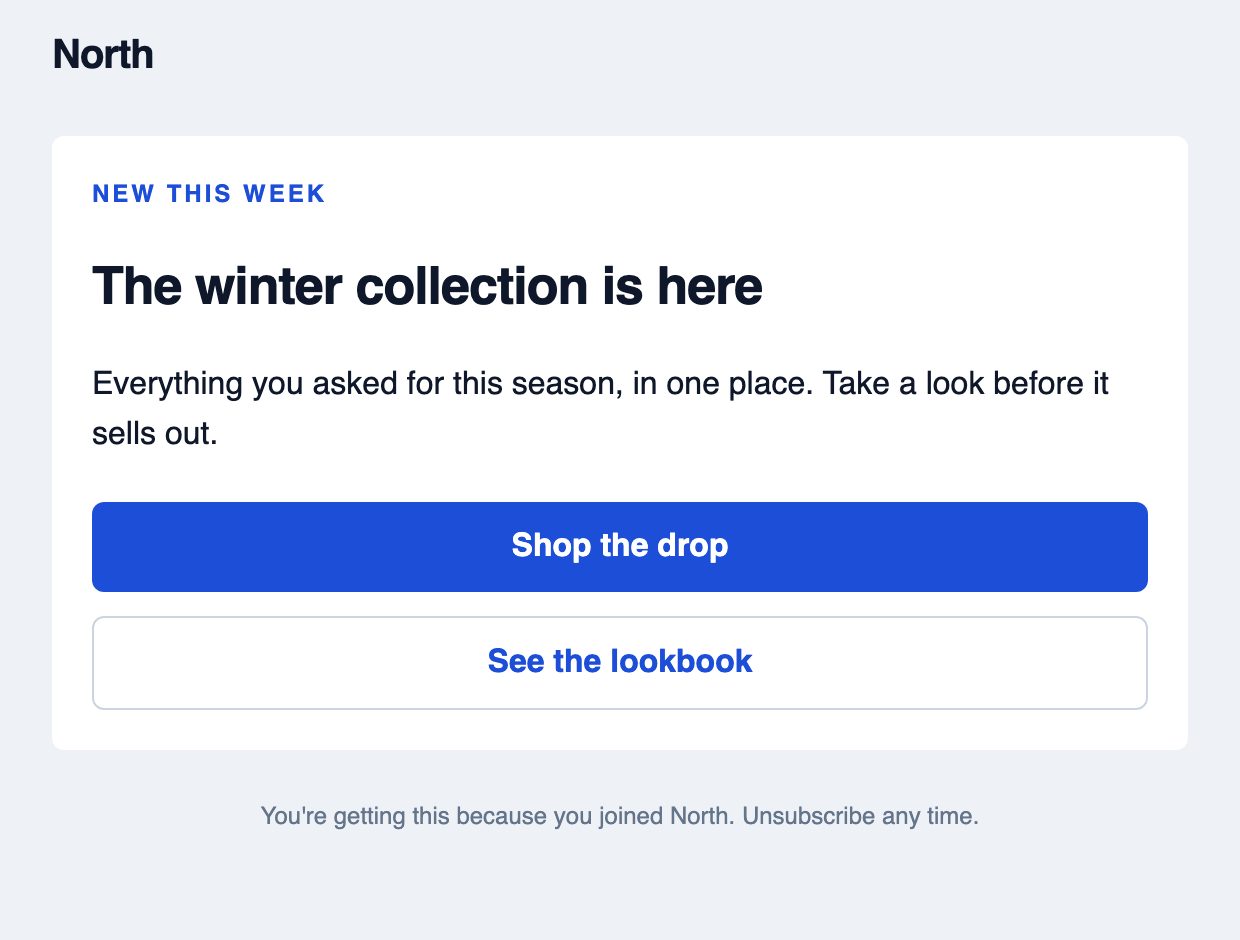
theme={north}North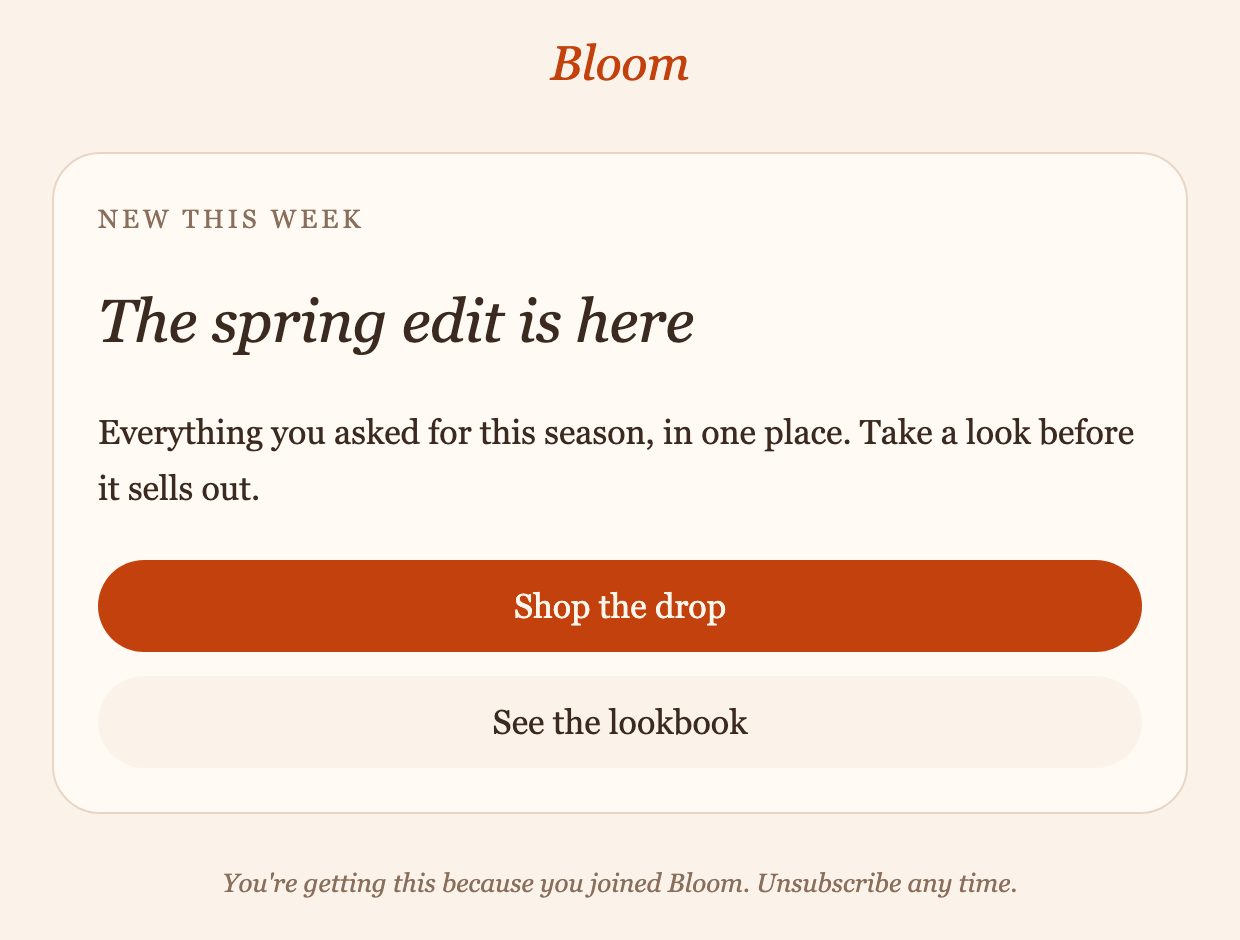
theme={bloom}Bloom<Email theme={north}>
<Column style={{ apply: ["card"] }}>
<Heading level={1}>The winter collection…</Heading>
<Text>Everything you asked for…</Text>
<Button href="…">Shop the drop</Button>
<Button href="…" variant="secondary">
See the lookbook
</Button>
</Column>
</Email>- TokensColors, fonts, sizes, spacing and corners, checked when the template is read
- Defaults and variantsEvery Button, Heading and Divider styled once, with named versions
- EverywhereThe same theme brands emails, pages, PDFs and images
React Email: a Tailwind config on each <Tailwind> wrapper, with no component variants.
How themes work →The same email in React Email and Hyper Elements
No margins to juggle: the parent's gap spaces the blocks.
Hyper Elements 33s1,831 tokens
import { Button, Column, Email, Heading, Section, Text } from "@hyper-elements/react";

export default function Welcome({ name = "Ada" }: { name?: string }) {
  return (
    <Email
      width={520}
      previewText="Welcome to Orbit"
      style={{
        backgroundColor: "#f3f4f6",
        color: "#000000",
        fontFamily:
          "-apple-system, BlinkMacSystemFont, 'Segoe UI', Roboto, Helvetica, Arial, sans-serif",
      }}
    >
      <Section style={{ padding: [40, 0, 40, 0] }}>
        <Column
          style={{ padding: "32px 32px 32px 32px", backgroundColor: "#ffffff", borderRadius: 8 }}
        >
          <Heading
            style={{
              padding: "0px 0px 0px 0px",
              fontSize: 24,
              fontWeight: 700,
              color: "#101828",
              lineHeight: "32px",
            }}
          >
            Welcome, {name}
          </Heading>
          <Text
            style={{
              padding: "16px 0px 24px 0px",
              fontSize: 16,
              color: "#4a5565",
              lineHeight: "24px",
            }}
          >
            Your workspace is ready.
          </Text>
          <Column style={{ padding: "0px 0px 0px 0px", alignItems: "start" }}>
            <Button
              href={{ href: "https://example.com/start", target: "_blank" }}
              style={{
                backgroundColor: "#4f39f6",
                color: "#ffffff",
                fontSize: 16,
                lineHeight: "120%",
                padding: "12px 20px 12px 20px",
                borderRadius: 6,
              }}
            >
              Open your workspace
            </Button>
          </Column>
        </Column>
      </Section>
    </Email>
  );
}

Welcome.PreviewProps = { name: "Ada" };
React Email 86s6,215 tokens
import { Body, Button, Container, Head, Heading, Html, Preview, Text } from "@react-email/components";

export default function Welcome({ name = "Ada" }: { name?: string }) {
  return (
    <Html>
      <Head />
      <Preview>Welcome to Orbit</Preview>
      <Body
        style={{
          backgroundColor: "#f3f4f6",
          fontFamily:
            "-apple-system, BlinkMacSystemFont, 'Segoe UI', Roboto, Helvetica, Arial, sans-serif",
        }}
      >
        <Container
          style={{
            margin: "40px auto",
            padding: "32px",
            maxWidth: "520px",
            backgroundColor: "#ffffff",
            borderRadius: "8px",
          }}
        >
          <Heading
            style={{
              margin: "0",
              fontSize: "24px",
              lineHeight: "32px",
              fontWeight: "700",
              color: "#101828",
            }}
          >
            Welcome, {name}
          </Heading>
          <Text
            style={{
              margin: "16px 0 24px",
              fontSize: "16px",
              lineHeight: "24px",
              color: "#4a5565",
            }}
          >
            Your workspace is ready.
          </Text>
          <Button
            href="https://example.com/start"
            style={{
              backgroundColor: "#4f39f6",
              borderRadius: "6px",
              color: "#ffffff",
              fontSize: "16px",
              padding: "12px 20px",
              textDecoration: "none",
            }}
          >
            Open your workspace
          </Button>
        </Container>
      </Body>
    </Html>
  );
}

Welcome.PreviewProps = { name: "Ada" };
Beyond email
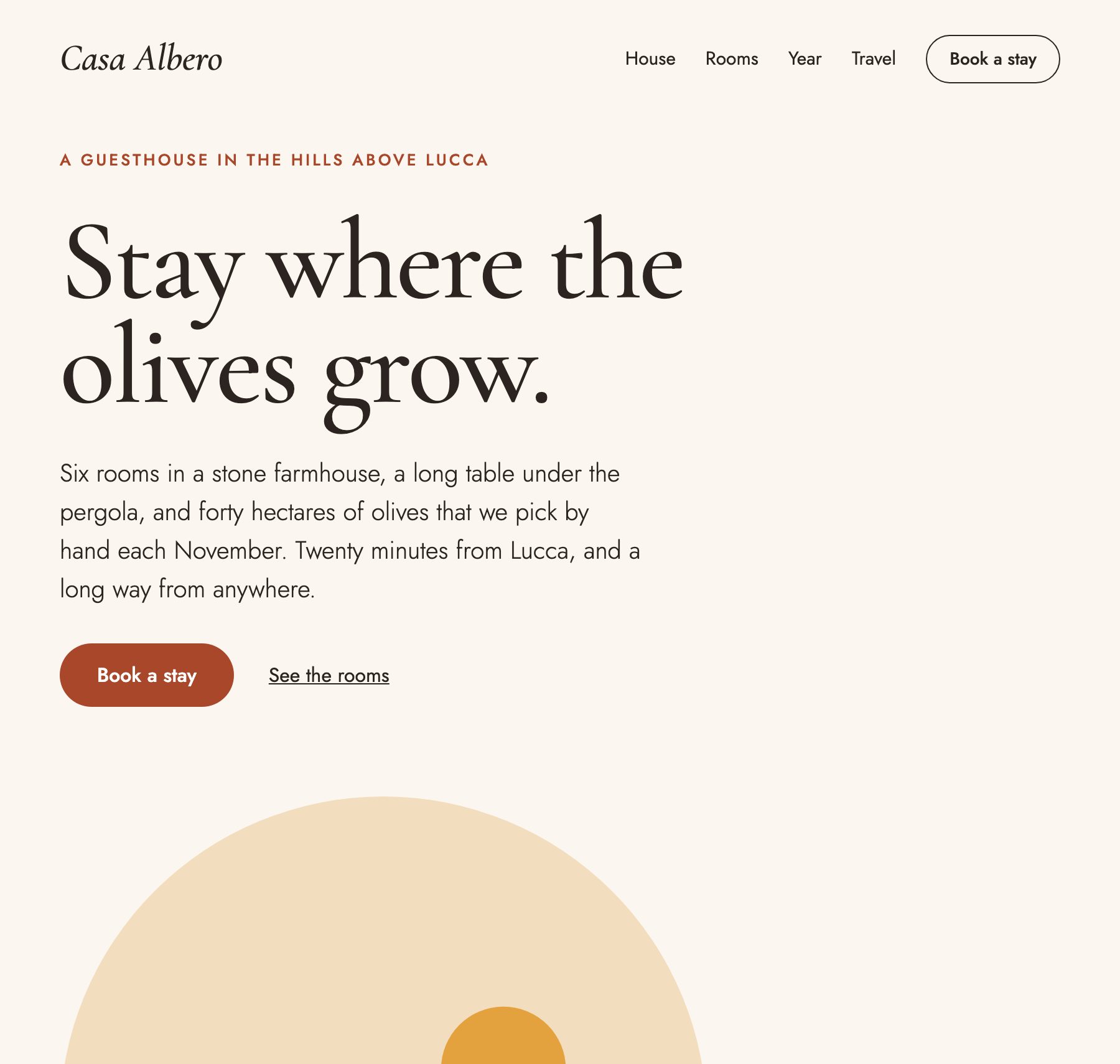
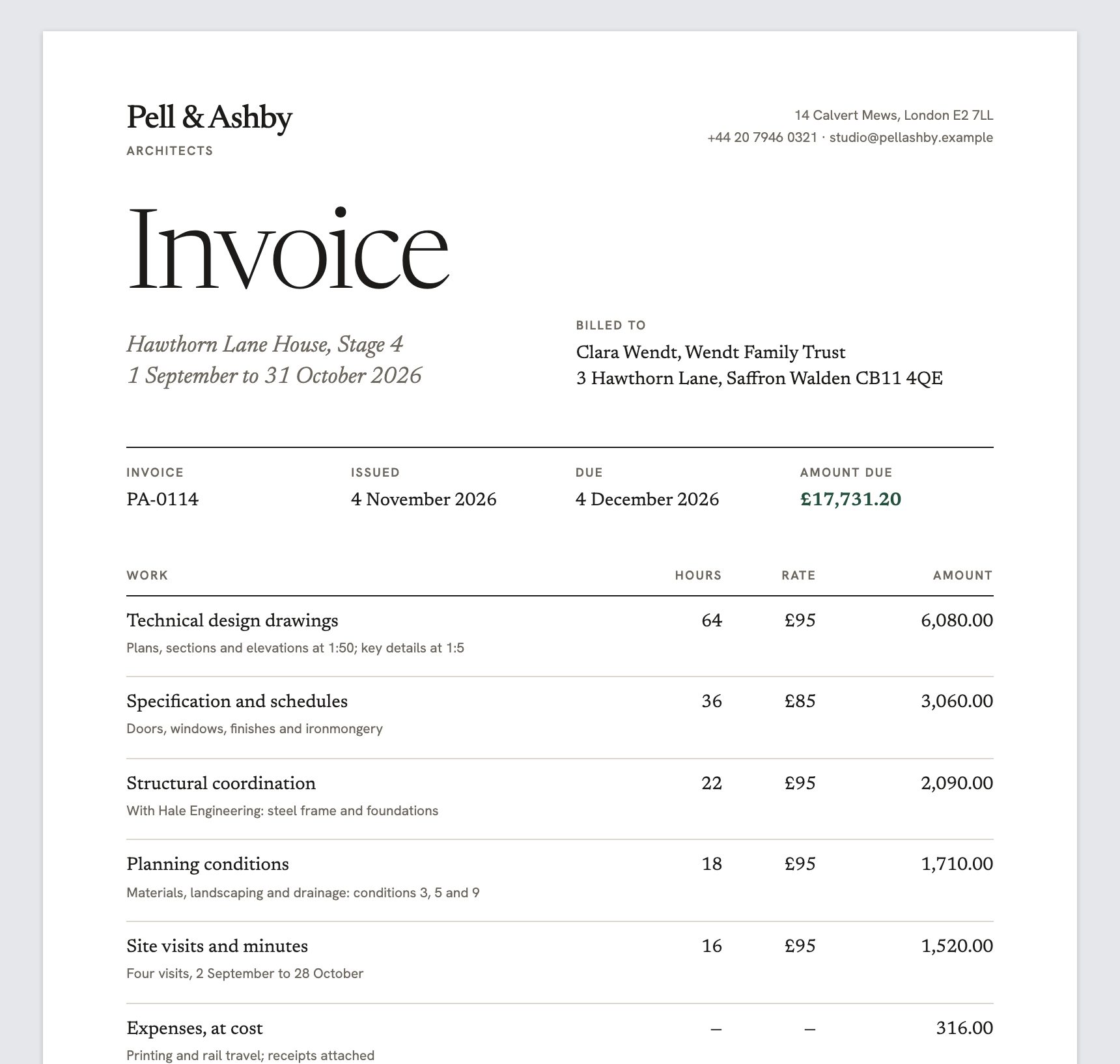
Change a template's root and the same content becomes a web page, a PDF or an image.

Questions about switching from React Email
What are the alternatives to React Email?
The main ones are Hyper Elements, MJML, Maizzle and jsx-email. Hyper Elements is React components too, and also works out the layout, checks the email, previews it in email clients, keeps it on brand with a theme, and renders the same template as a page, a PDF or an image. MJML is a markup language of its own that compiles to email HTML, and doesn't need React. Maizzle builds HTML emails with Tailwind CSS. jsx-email is JSX components close to React Email's.
Is Hyper Elements built on React Email?
No. Hyper Elements has its own components, layout engine and writers. It doesn't use React Email, and React Email isn't needed to run it.
Can I preview my emails in Outlook, Gmail and Apple Mail?
Yes, for free. Hyper Elements comes with an email client emulator, @hyper-elements/email-clients, that previews classic Outlook, Outlook.com, Gmail, Apple Mail, Yahoo Mail and more on your machine, in light and dark mode, with no test sends or account. React Email's preview server lists HTML and CSS a client doesn't support, but doesn't preview the email in each client. The emulator also takes any HTML email, so you can preview React Email templates with it too.
How do I keep every email on brand?
Write the brand once with defineTheme(): colors, fonts, sizes, spacing and corners as tokens, each component's defaults, its variants, and named styles. Give it to any root with theme, and every email, page, PDF and image that takes it is on brand. React Email shares a brand through a Tailwind config passed to each Tailwind wrapper, with no component variants.
Can I use Tailwind with Hyper Elements?
Not as classes, and that's on purpose. Tailwind was made in 2017, before coding agents, to help people write CSS faster: short class names, and no switching between files. An agent doesn't need shortcuts; it needs feedback. Hyper Elements' styles are typed objects, so a style that doesn't exist is a TypeScript error, and validate() says what's wrong and what to write instead, where a misspelled or unsupported Tailwind class does nothing and says nothing. Phone styles go in a mobile block and hover styles in a hover block. When you migrate, Tailwind classes in your React Email templates are resolved with your Tailwind config and become styles.
Can I keep my React Email templates?
Yes. npx @hyper-elements/migrate converts each template and checks it against the original before it writes anything. Or keep them as they are and test their HTML with @hyper-elements/email-clients, which takes HTML from React Email.
Does Hyper Elements work with Resend?
Yes. render() gives you the HTML and the plain text as two strings; pass them to Resend, or any other provider's SDK.
Which is faster for a coding agent?
In our benchmark, Claude Code reached a passing email 2.6× faster with Hyper Elements than with React Email, writing 3.4× fewer output tokens, across five briefs and 16 runs each. It's one agent and one model on short, fully specified emails. The harness is in the repository, so you can run it with your own agent.
Switch from React Email in one command
Converts every template, checks each against the original, and writes nothing until you ask.
Also compare: Hyper Elements vs MJML · React Email alternatives · MJML alternatives · Litmus alternatives